
1
Open the app
Your cuesheets are the home. The one you last taught on today's day of week is featured on top — one tap from Start. No hunting for last Tuesday's class.
Tuesday → your last Tuesday class, ready to teach.
FOR CYCLE & SPIN INSTRUCTORS
Open the app on the bus. Today's class is already built — segments timed, tracks BPM-matched, cues pinned to the beat. Tap Start. Teach. For instructors who plan their own classes — boutique, gym, or independent.

Requires iPhone 15 Pro, iPhone 16, or newer (iOS 26+) · Apple Music subscription required.
VS DOING IT BY HAND
A NOTE FROM THE FOUNDER
Cuesheet was designed with a Toronto cycle instructor I take class from. Six months of weekly classes, every screen co-designed with someone in a mic pack — cue grammar, BPM bands, the Run-mode display, the way it reads across a dim studio.
I'm a software founder, not a teacher. The instructor I work with kept showing me the same prep grind — two hours on YouTube the night before, working from a paper notebook, holding gear cues and countdown timers in his head. Cuesheet is what that prep looks like when an iPhone does it. He still teaches the class. The app handles beat-aligned cue placement, keeps every class one tap from Start, and runs the live HUD so the cues aren't in his head anymore.
If you teach, I'd love your feedback. The roadmap is short — the next 10 features come from what actual instructors tell me.
— Peter, Toronto
iPhone 15 Pro, 16, or newer · iOS 26+ · Apple Music subscription (yours) required.
HOW IT WORKS
Your cuesheets are the home. The one you last taught on today's day of week is featured on top — one tap from Start. No hunting for last Tuesday's class.
Tuesday → your last Tuesday class, ready to teach.
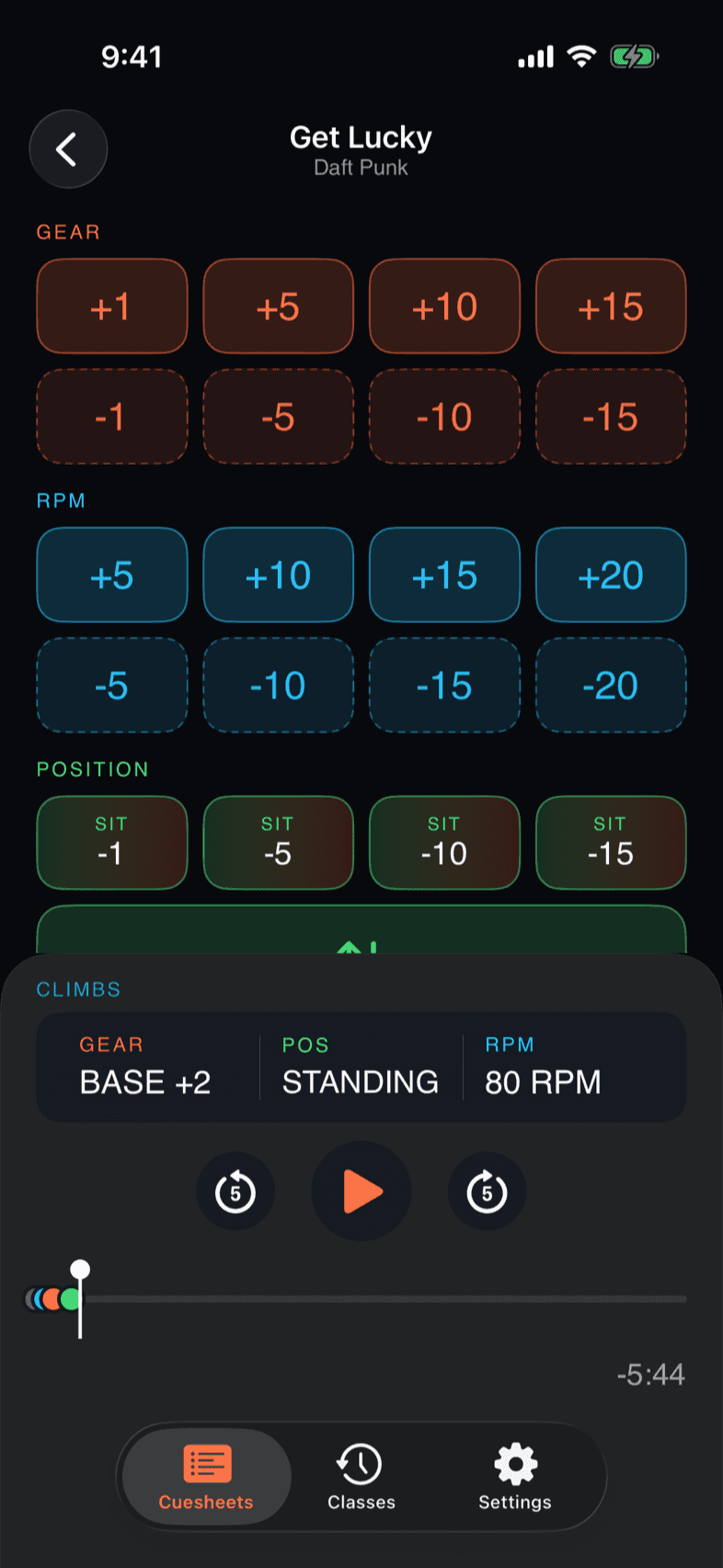
Add a segment, pick a song, then listen and tap to drop cues — Gear, RPM, Stand/Sit — at the exact moment. Cues snap to the nearest beat. Copy an existing cuesheet to start fast.
Tap on the drop → the cue lands on the beat.
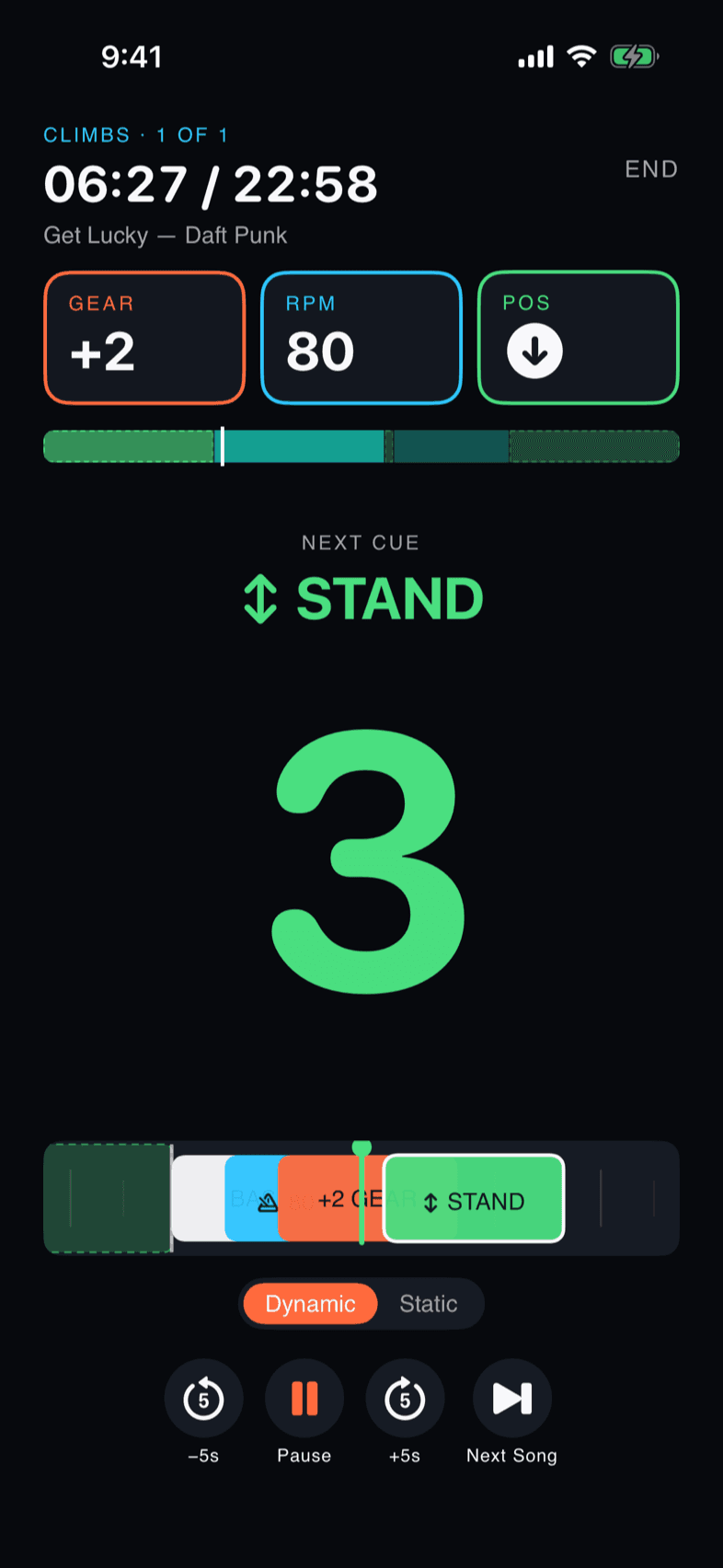
Phone streams to the studio speaker. Screen becomes your cue notebook — beat-aligned countdowns, persistent target line, hands-free.
GEAR +2 · 80 RPM · STAND in 3·2·1
FEATURES
BUILD
Add a segment, pick a song — search Apple Music or one of five hand-picked suggestions — then listen and tap to drop each cue at the exact playback moment. Cues snap to the nearest beat. Gear, RPM, and stand/sit, composed without leaving the HUD.
vs. holding gear cues and countdown timers in your head.
PLAY
Run mode replaces your paper notebook. Gear, RPM, and position stay on screen between cues, and the next cue counts down in Display-XL numerals you can read clipped-in, sweat-blurred, in dim studios.
vs. squinting at your phone between sets.
POLISH
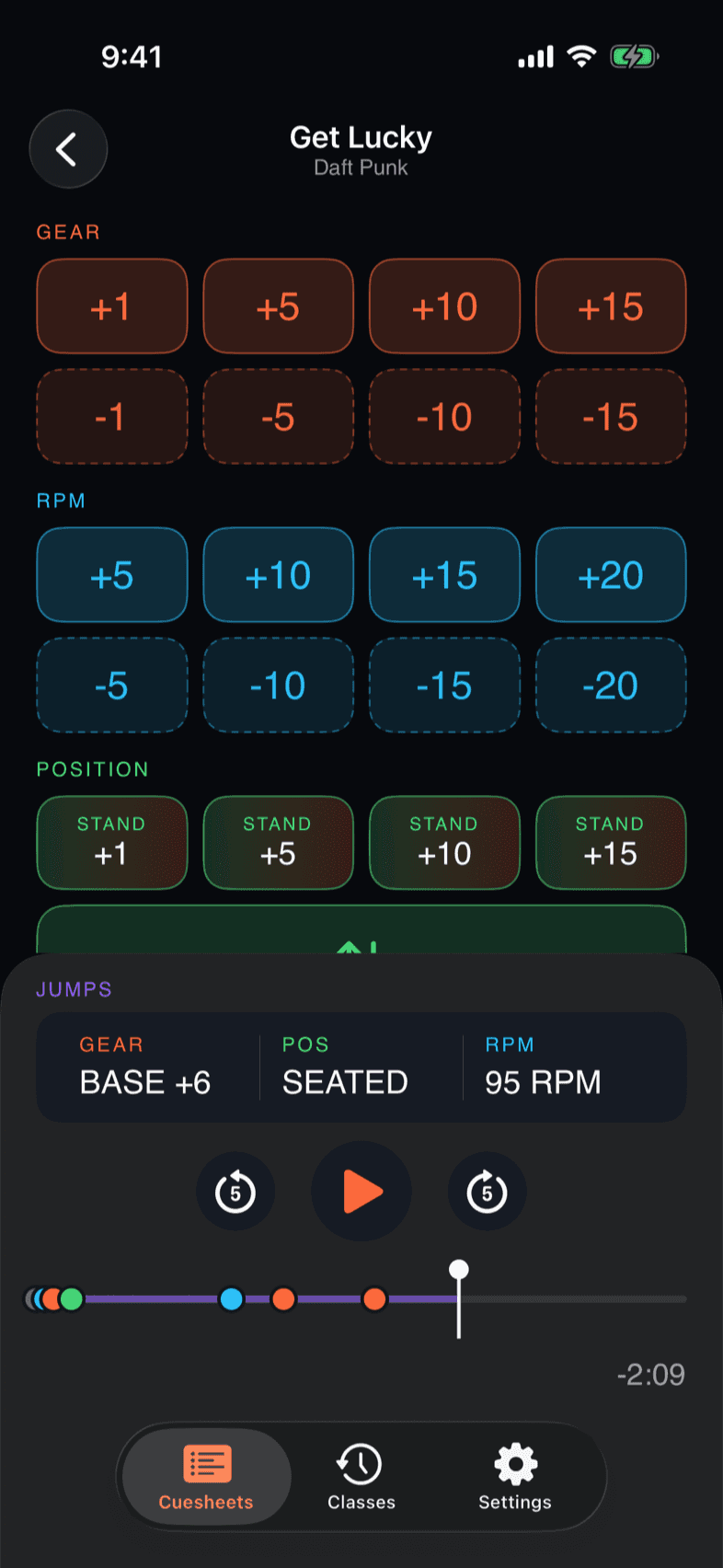
Drag a cue pin to retime it to the bar, drop, or chorus. Color-coded grammar — gear (orange), RPM (cyan), position (green) — consistent from Builder to Run mode. Swap a track and your cues re-map to the closest beat.
vs. erasing pencil marks at red lights.
HOW IT'S DIFFERENT
From opening the app to Start — your last class for today is on top.
Every cue snaps to the nearest beat as you place it.
Your cuesheets and class history live on your phone — no cloud, no account.
Streams the catalogue you already pay for. No separate library to build.
FAQ
Yes — an active Apple Music subscription. Cuesheet doesn't include music; it streams what you already pay for. Cuesheet currently supports Apple Music only.
Cuesheet doesn't provide or include music licensing — it's a class-running tool, not a music service. If you teach at a gym, studio, or other licensed venue, the venue's blanket licence usually covers the music played in classes. If you teach independently or in unlicensed space, you may need your own public-performance licence — SOCAN/Re:Sound (Canada), ASCAP/BMI/SESAC/GMR (US), or PPL+PRS (UK). See our Terms for the full rundown of who licenses what.
Pricing isn't set yet. The goal is a small monthly subscription with a free trial, in line with comparable fitness apps. The exact number will be published here before we ask anyone to pay.
Today, no — Cuesheet is purpose-built for cycle/spin: BPM-banded segments, RPM cues, gear deltas. Yoga and HIIT aren't on the v1 roadmap.
The class itself runs offline once loaded — Run mode, cues, scrubber. Music streams from your provider. Tip: hit "Download for offline" the night before.
Cuesheet runs on iPhones with Apple Intelligence: iPhone 15 Pro, iPhone 15 Pro Max, every iPhone 16 model, and newer. iOS 26 or later. Everything happens on your phone — beat detection, Run mode, your whole cuesheet library — with no cloud round-trip and no account. Your class history never leaves your iPhone. (This hardware floor also sets us up for on-device AI features we plan to add later, which is why we match Apple's Foundation Models requirements now.)
READY?
iPhone 15 Pro, 16, or newer · iOS 26+ · Apple Music subscription required.